


XPS Network and KINEXON Sports announce new API integration
A new connection brings KINEXON Sports player-tracking data into customizable XPS Reports, allowing coaches, performance staff and sports directors...
Read More
At XPS, we’re always looking for ways to make athlete monitoring, training management, and daily coaching workflows a little easier.
This latest release introduces a range of new features and improvements across the platform, including enhancements to calculated tests, calendar workflows, attendance tracking, reporting, certifications, and integrations. Whether you’re working with individual athletes or managing an entire organization, these updates are designed to help you get more value from your data and spend less time on administration.
Let’s take a look at what’s new in XPS for June 2026.
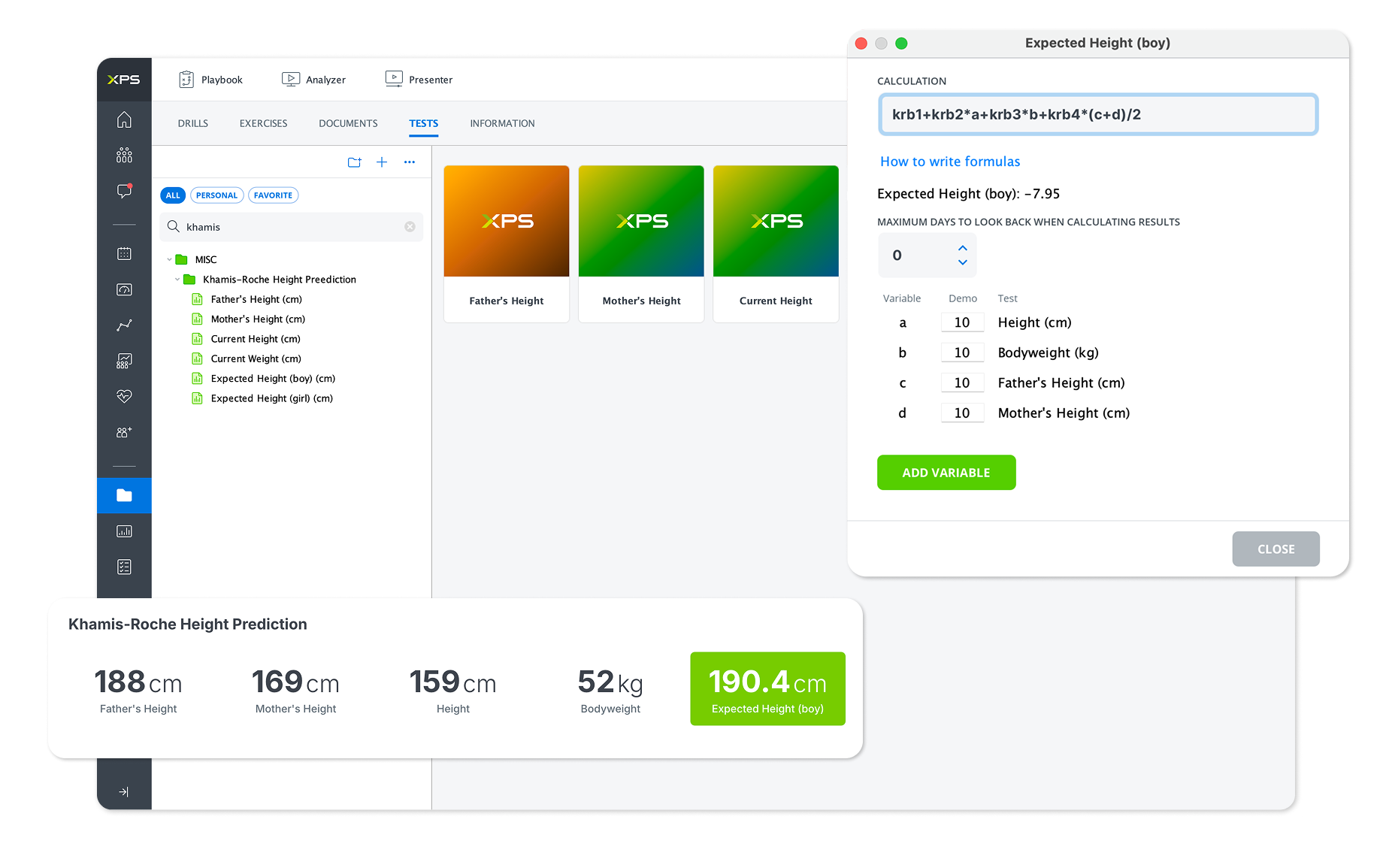
We’ve added support for the Khamis-Roche method as a new calculated test in XPS.
This predictive model estimates an athlete’s adult height based on their current height and weight, as well as parental height data. The prediction becomes increasingly accurate as athletes get older and can be a valuable tool for youth development environments.
Find out how to create the formula here.
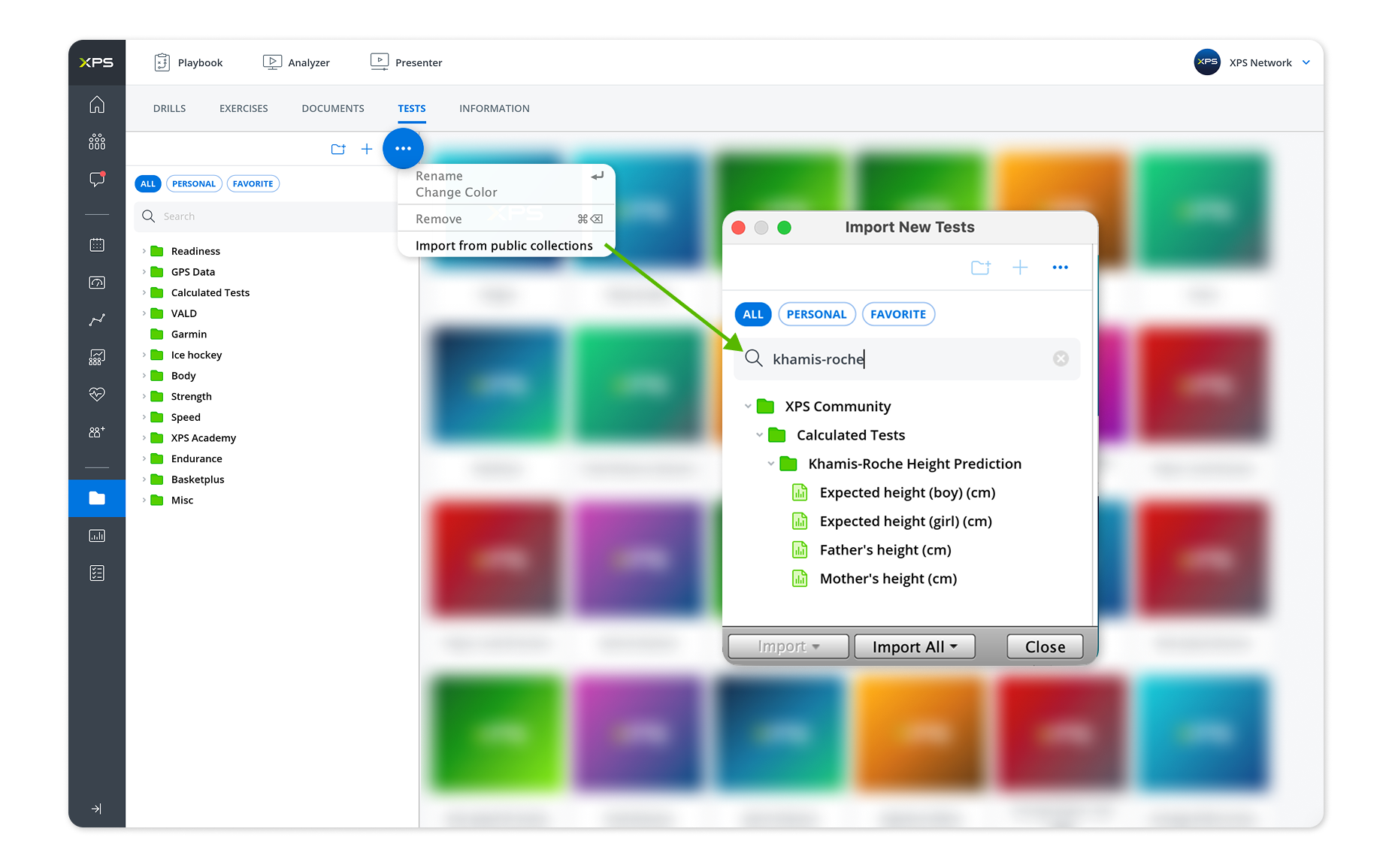
Rather than creating it from scratch, you can go to the options button in your Tests Collection and import it ready-made in just a few clicks.
In addition, calculated tests now support a new YF variable alongside the existing YY age variable. While YY represents age as a whole number, YF allows age to be used as a fractional value, providing greater precision when building custom calculated tests and formulas.
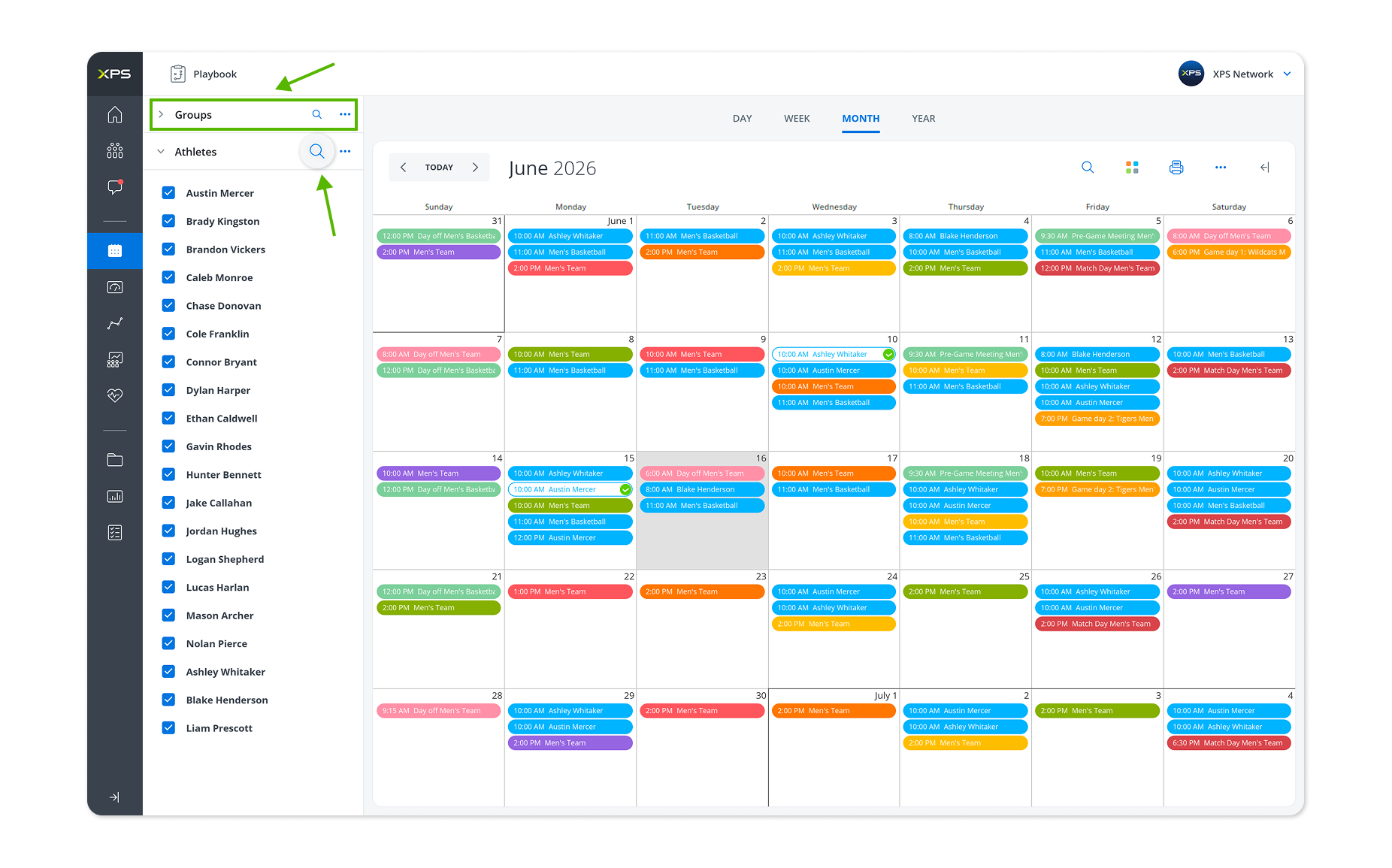
Finding sessions, athletes, teams, and activities in the calendar is now faster than ever.
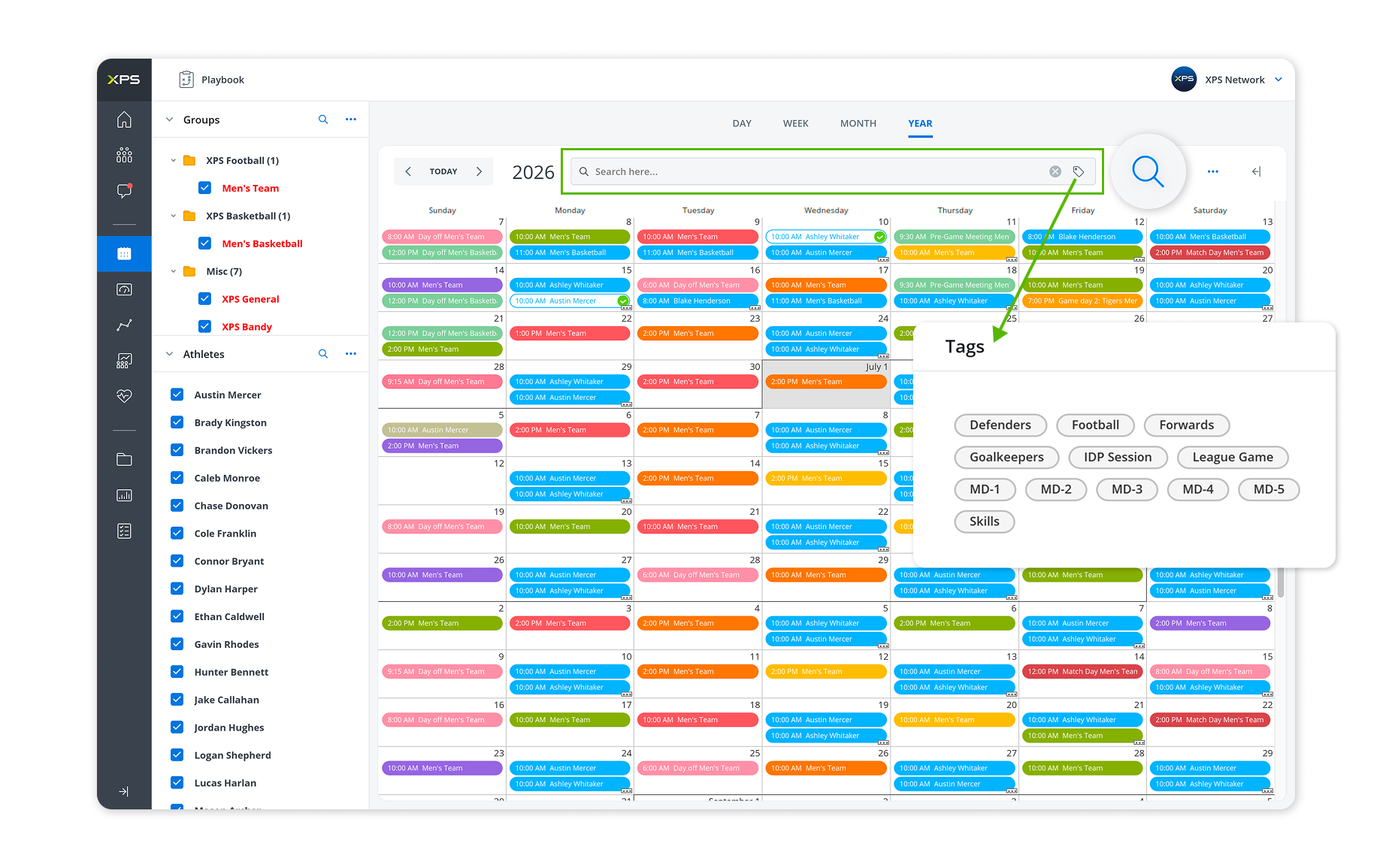
The new calendar search functionality allows users to search across session names, notes, locations, teams, athletes names, and tags – all from a single search field. Results can be refined using powerful filtering options to quickly locate exactly what you’re looking for.
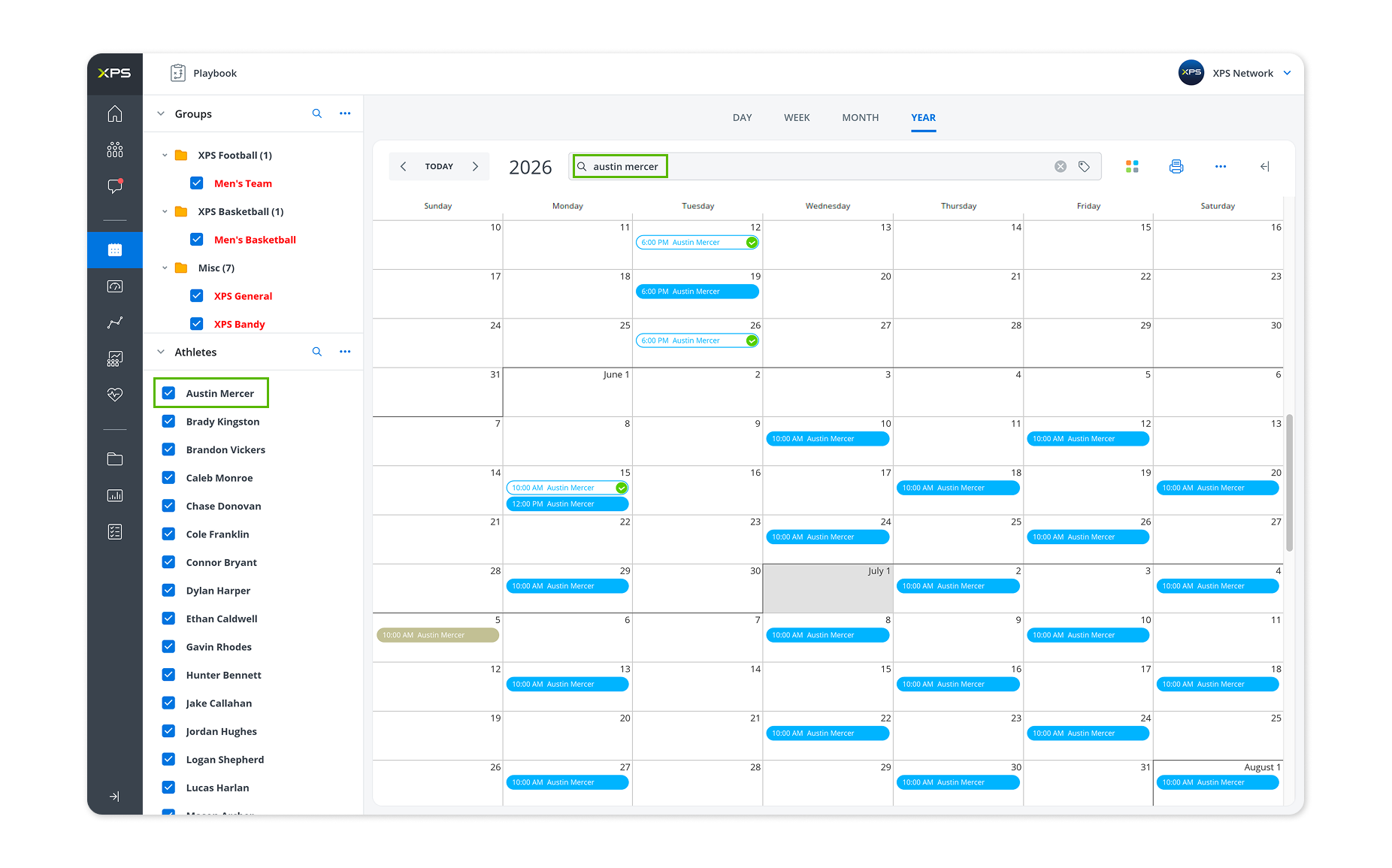
We’ve introduced tags for both Sessions and Reports, providing a more flexible way to organize information across your organization.
Session tags make it easy to categorize training sessions, practices, meetings, and other activities, enabling more powerful filtering and reporting across teams and departments.
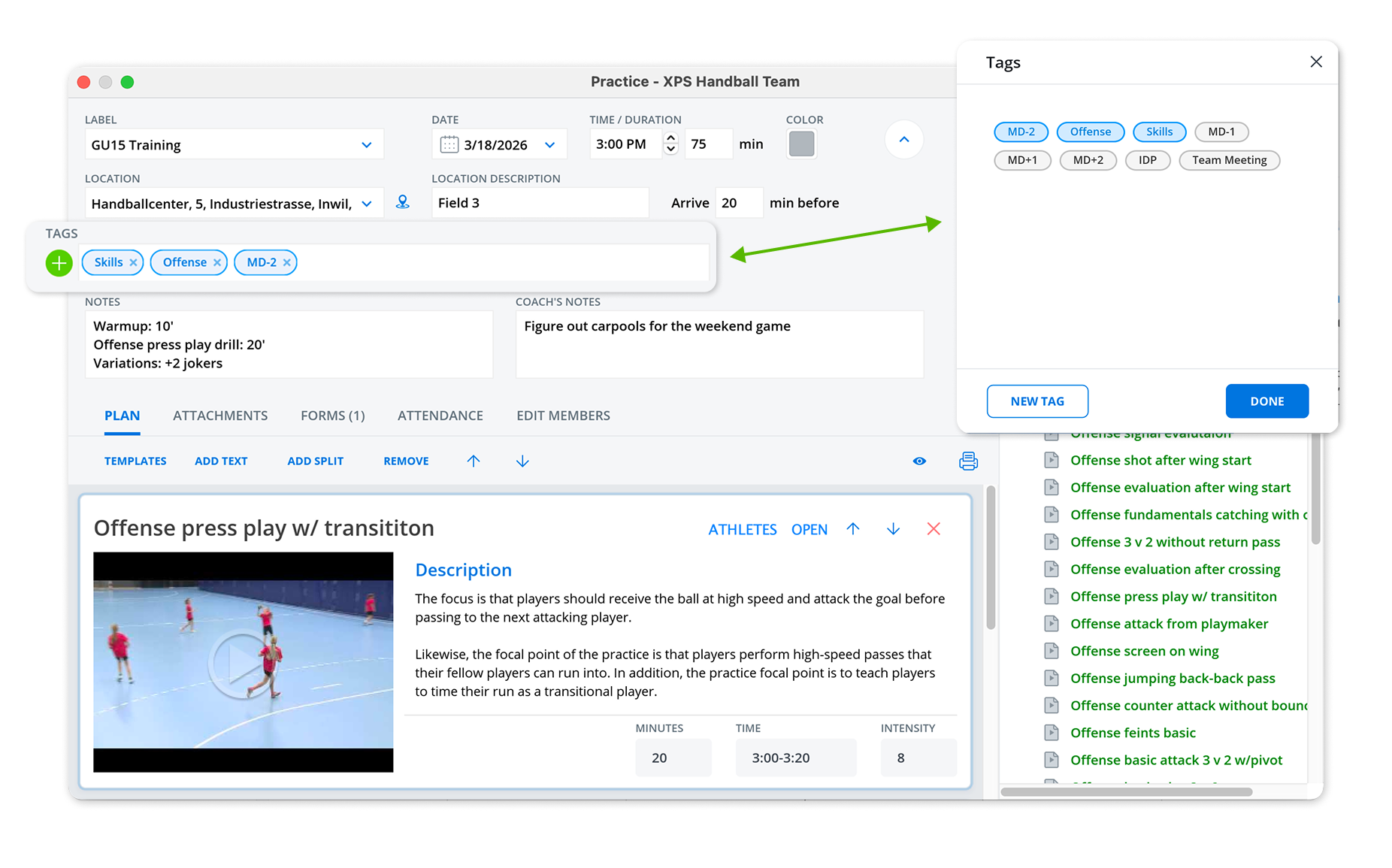
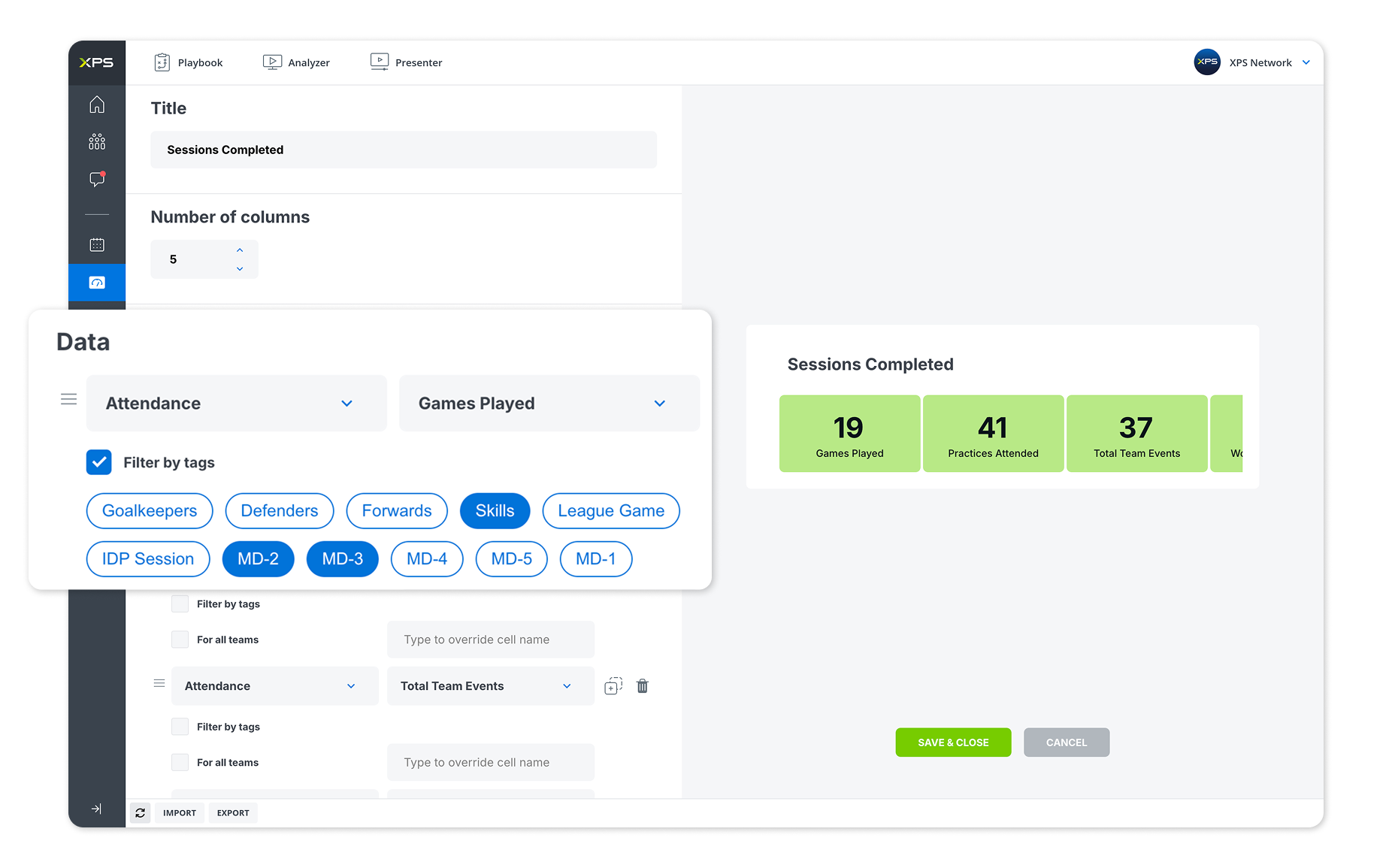
Tags created in the calendar can also be used in Monitoring & Reports, allowing staff to filter data, compare different types of sessions, and generate more meaningful insights.
The improved sidebar now includes search functionality and better navigation for organizations managing multiple teams and groups.
We’ll be publishing a dedicated blog soon showcasing practical ways to use the newest calendar updates across your organization.
We’ve introduced several new updates to make session management and attendance tracking more flexible and efficient.
You can now bulk edit session tags directly from the calendar. Simply multi-select sessions, right-click, and choose edit tags to update multiple sessions at once.
For organizations using session attendance, a new modified attendance status is now available (can be enabled in settings). This allows coaches and practitioners to better track athletes who participated with adjustments or restrictions rather than being simply present or absent.
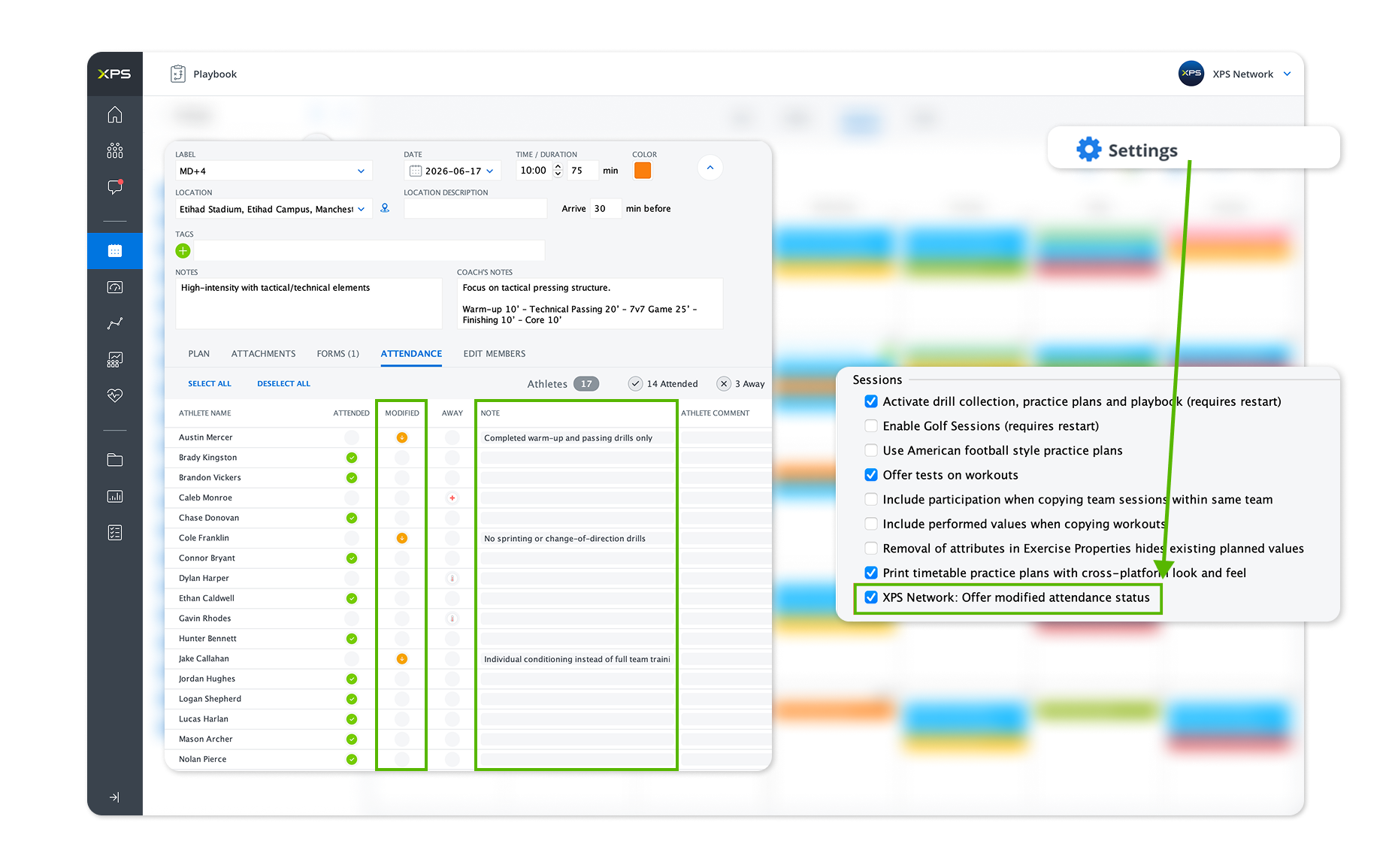
To support this new workflow, modified attendance statistics are now available for athletes, giving staff greater visibility into participation trends over time.
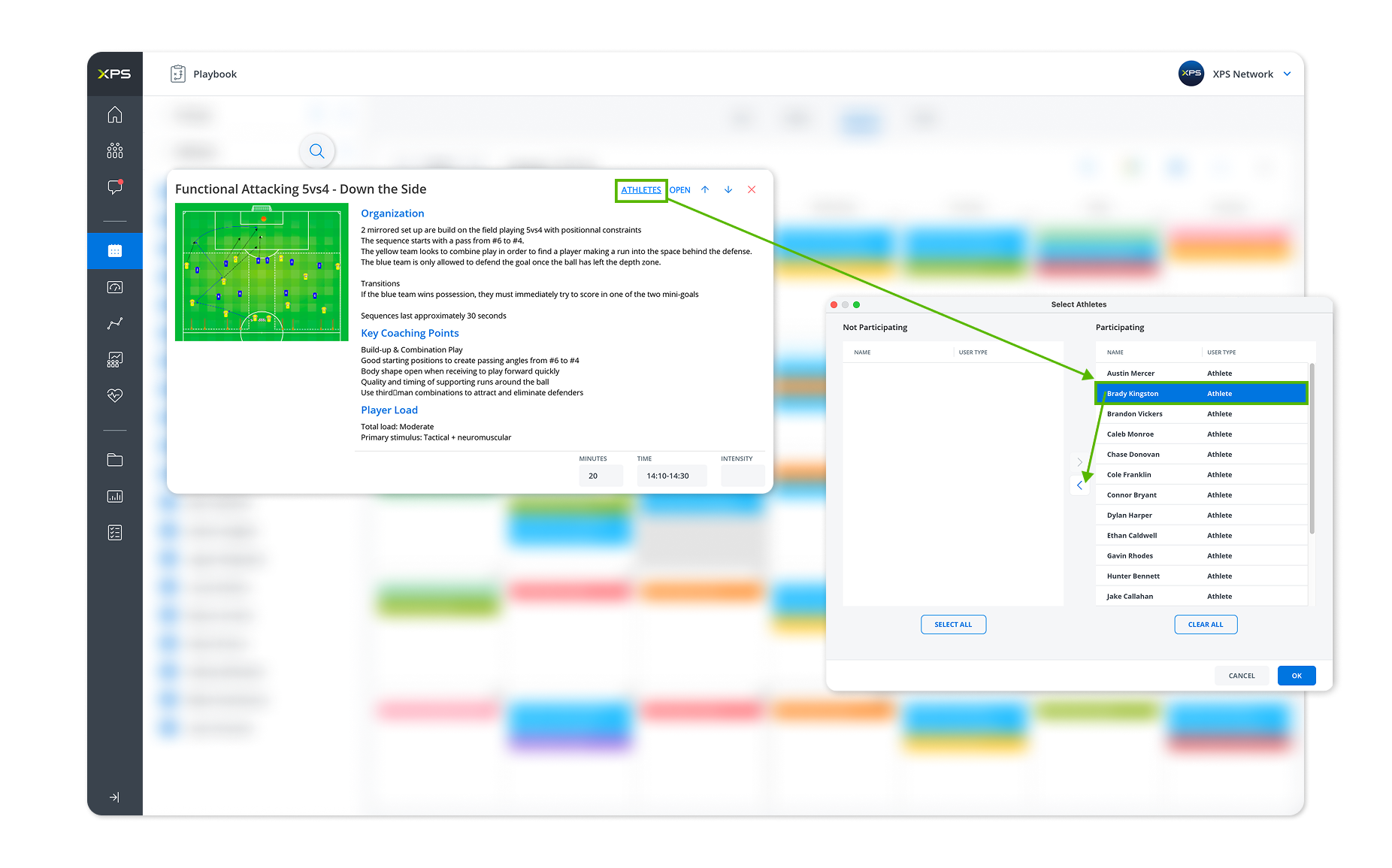
We’ve also expanded participation tracking by allowing coaches to record athlete participation across all drills, not just split drills, providing a more complete picture of session involvement.
We’ve added the Z-score option to periodization tables & team tables, providing an additional way to analyze athlete monitoring and performance data. Athlete Z-score can also be created via calculated tests and be used in all different widgets.
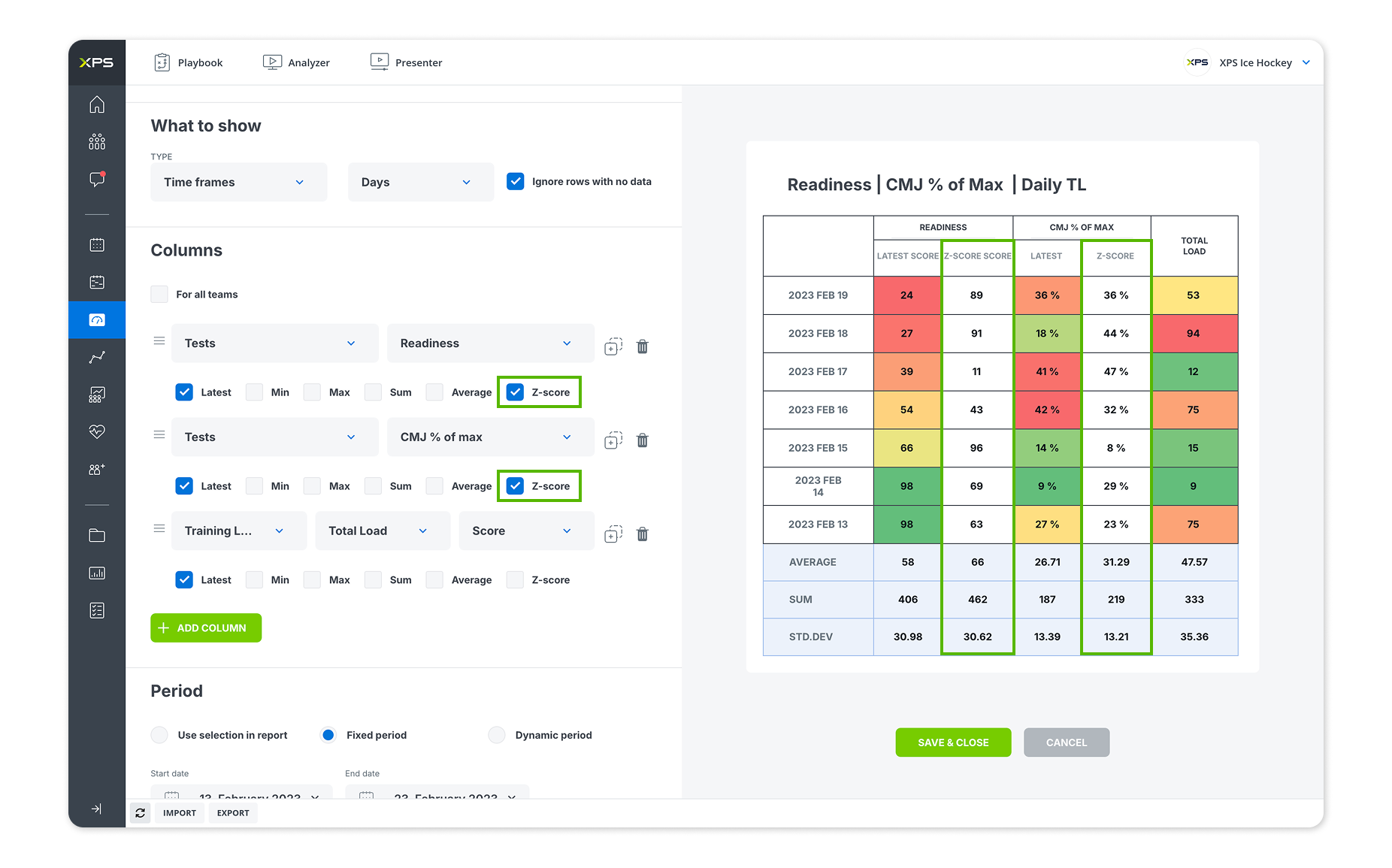
By standardizing values relative to an athlete’s or team’s typical range, Z-scores make it easier to identify meaningful trends, deviations, and outliers across different metrics, helping coaches and practitioners make more informed decisions.
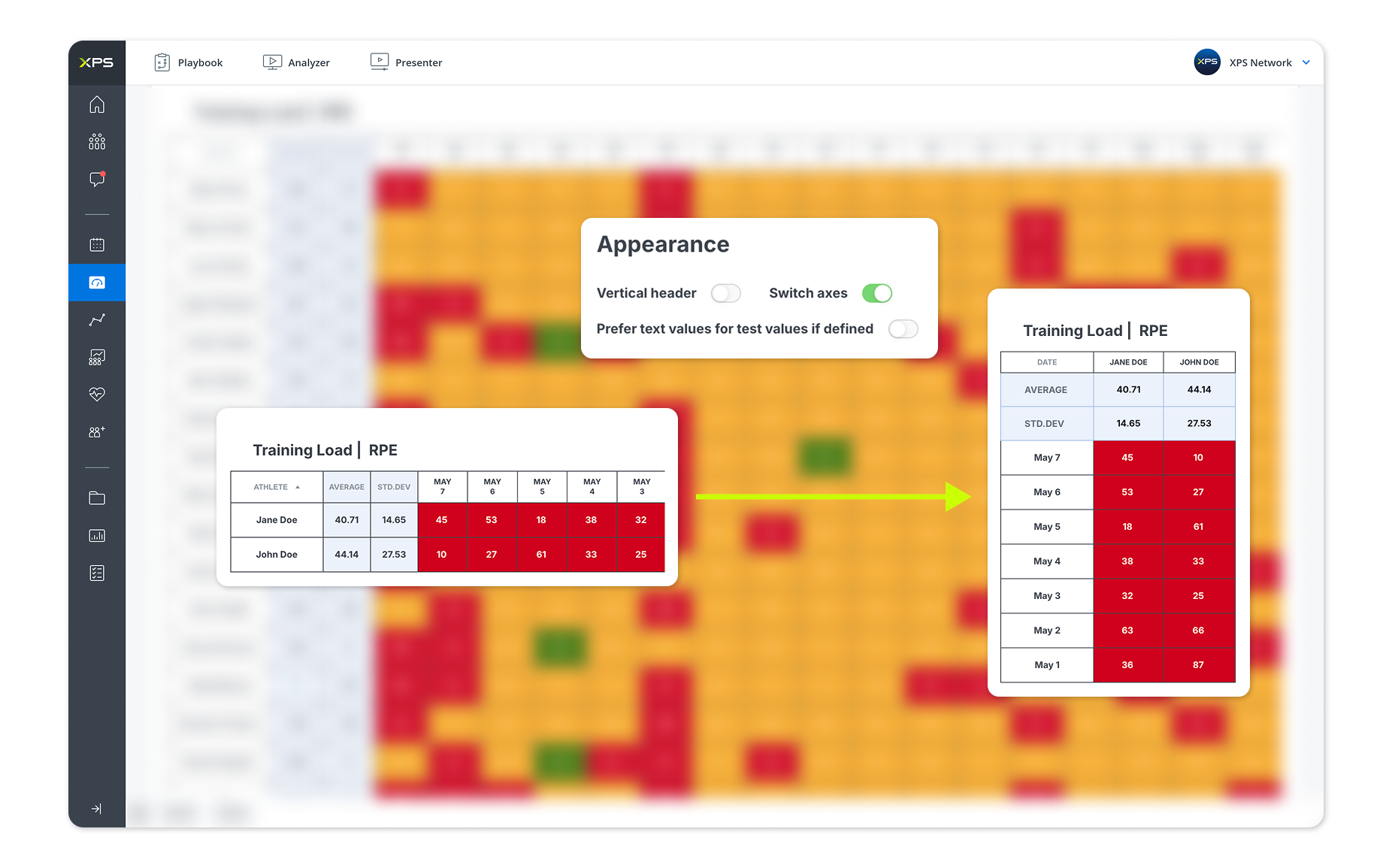
We’ve added the ability to switch axes in Periodization Tables within Team Reports, giving users greater flexibility when analyzing and presenting data. With a single click, you can change the table orientation to view metrics by athlete or athletes by metric, making it easier to identify trends, compare performance, and tailor reports to your preferred workflow.
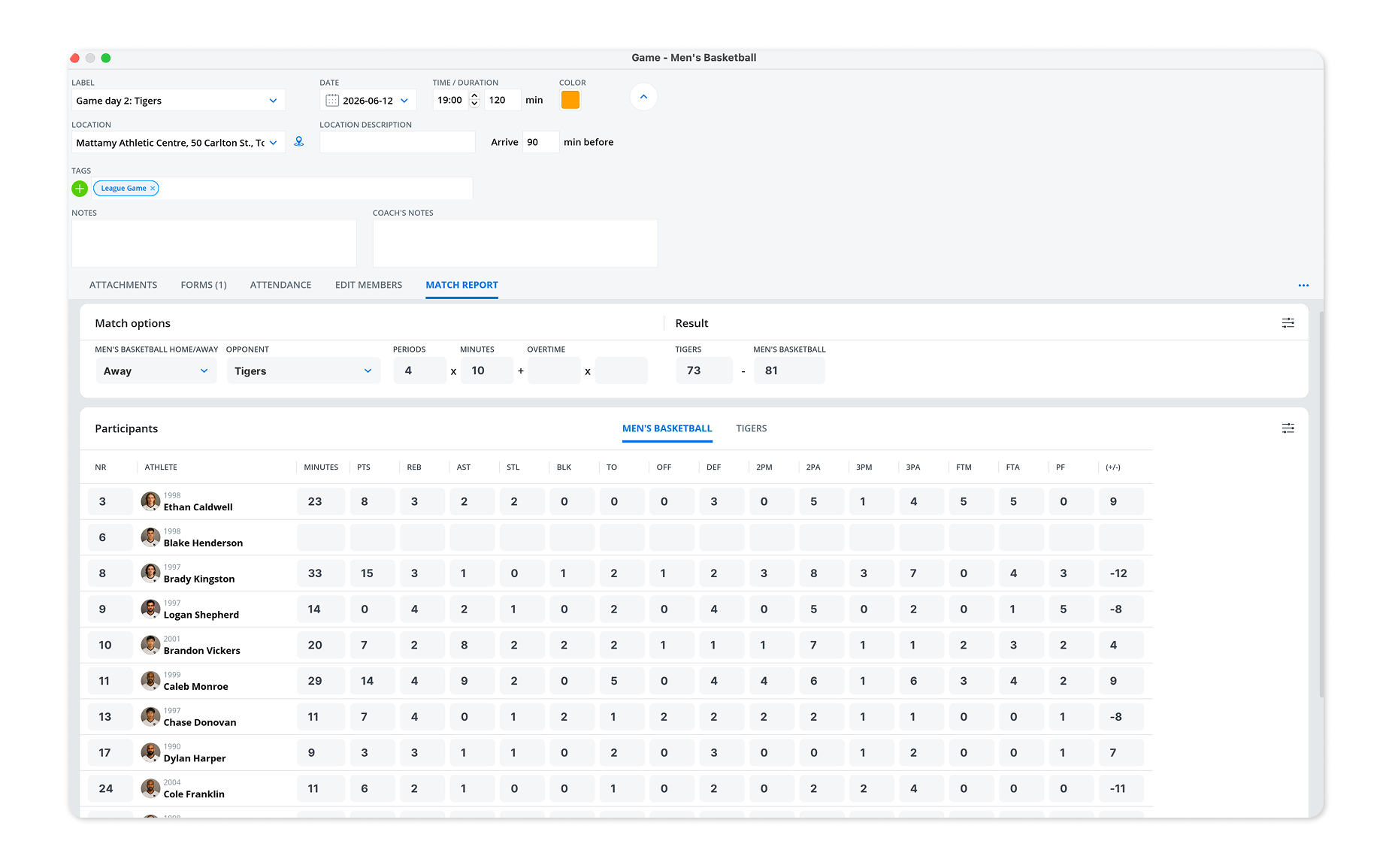
Match Reports are now available for basketball, ice hockey, and volleyball.
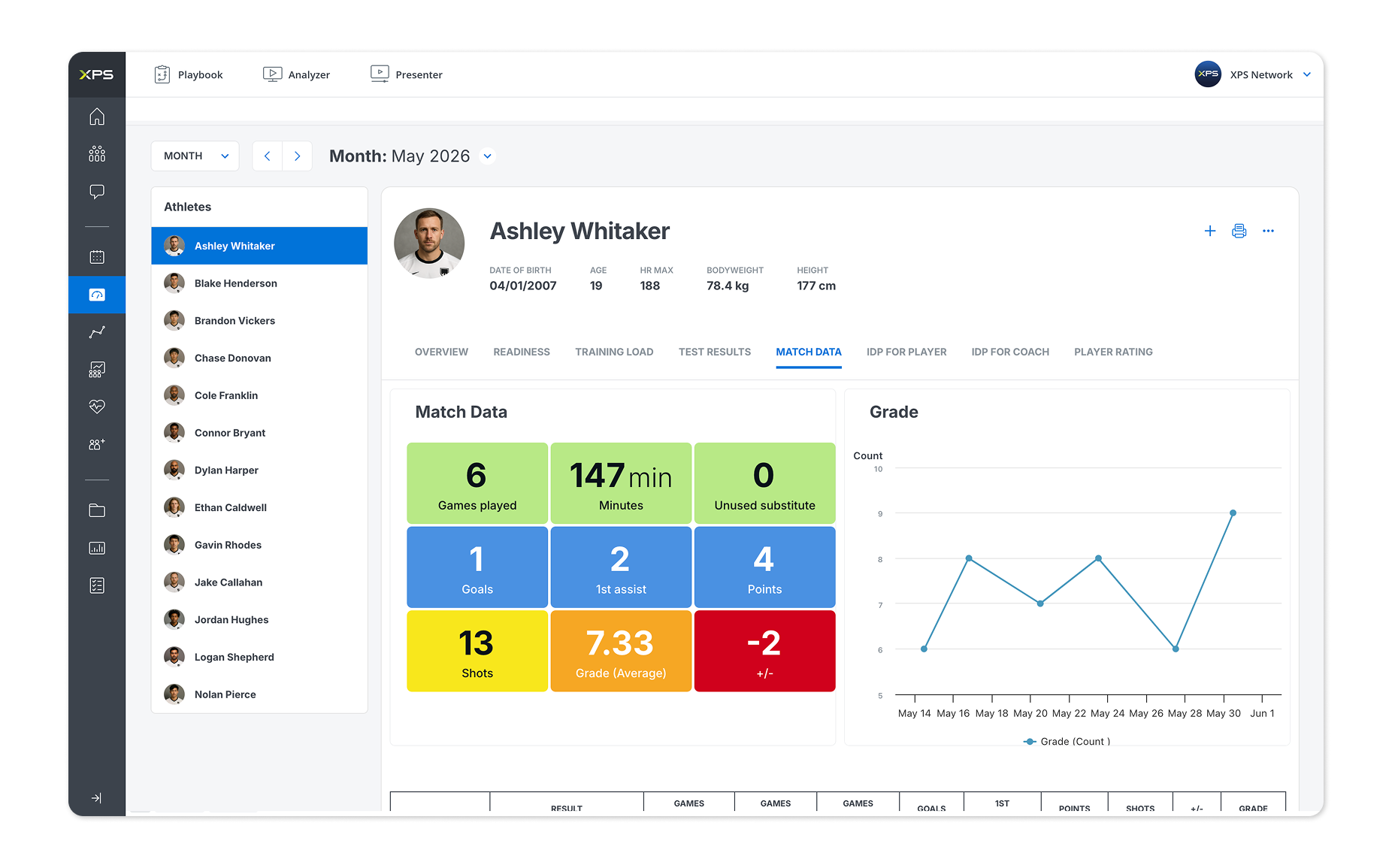
Each report is tailored to the demands of the sport, helping coaches and analysts capture key match statistics, import performance data, and gain deeper insights into team and player performance.
We’ll keep improving Match Reports and bring them to more sports over the coming weeks.
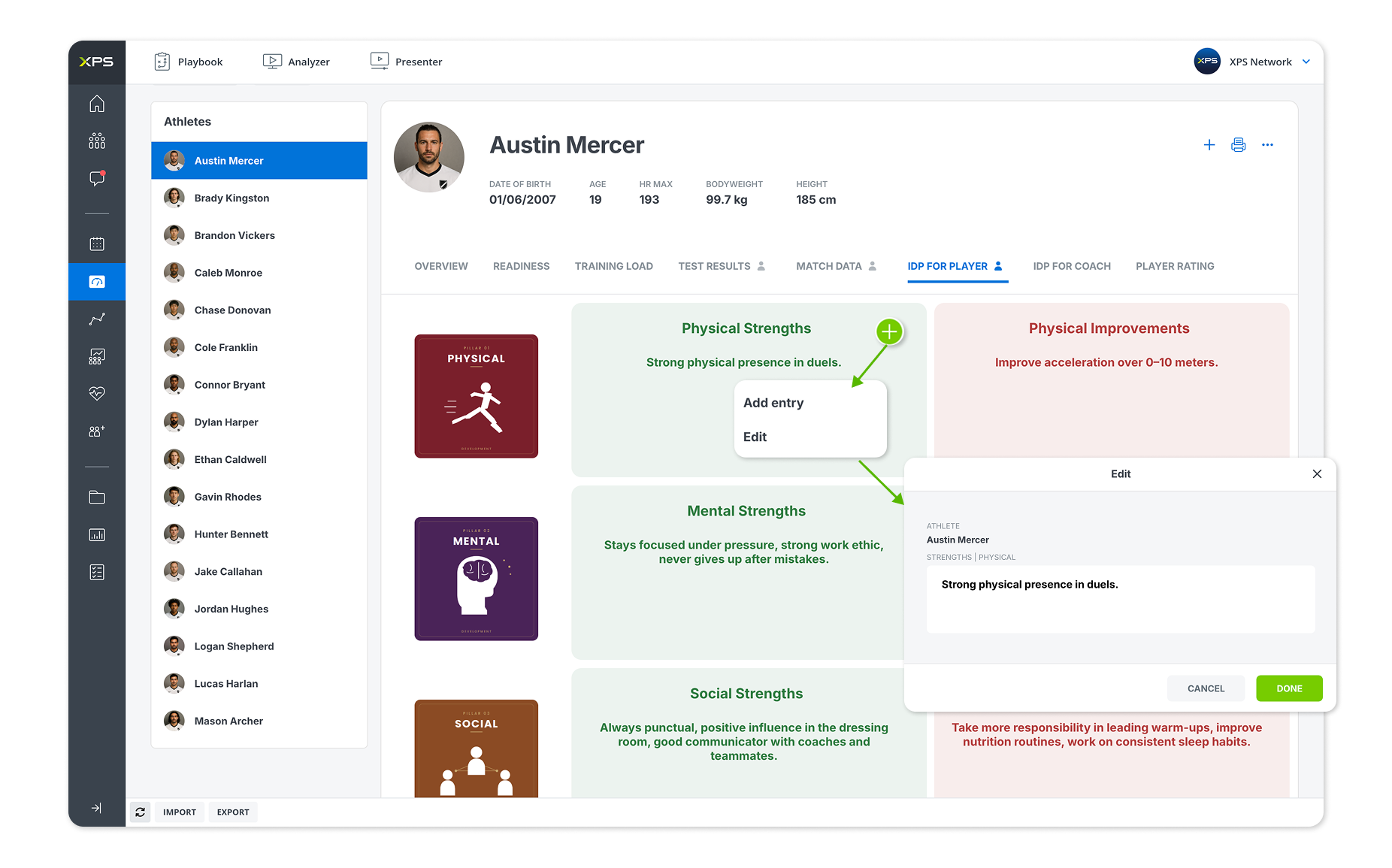
We’ve given the Text Widget a design refresh and made it quicker to work with. Users can now add and edit entries directly from the widget using the new plus (+) button, making it easier to capture notes, observations, and other important information as they review data and reports.
Certification badges earned through XPS Academy can now be displayed directly within User Management, making it easier to identify trained and certified users across your organization.
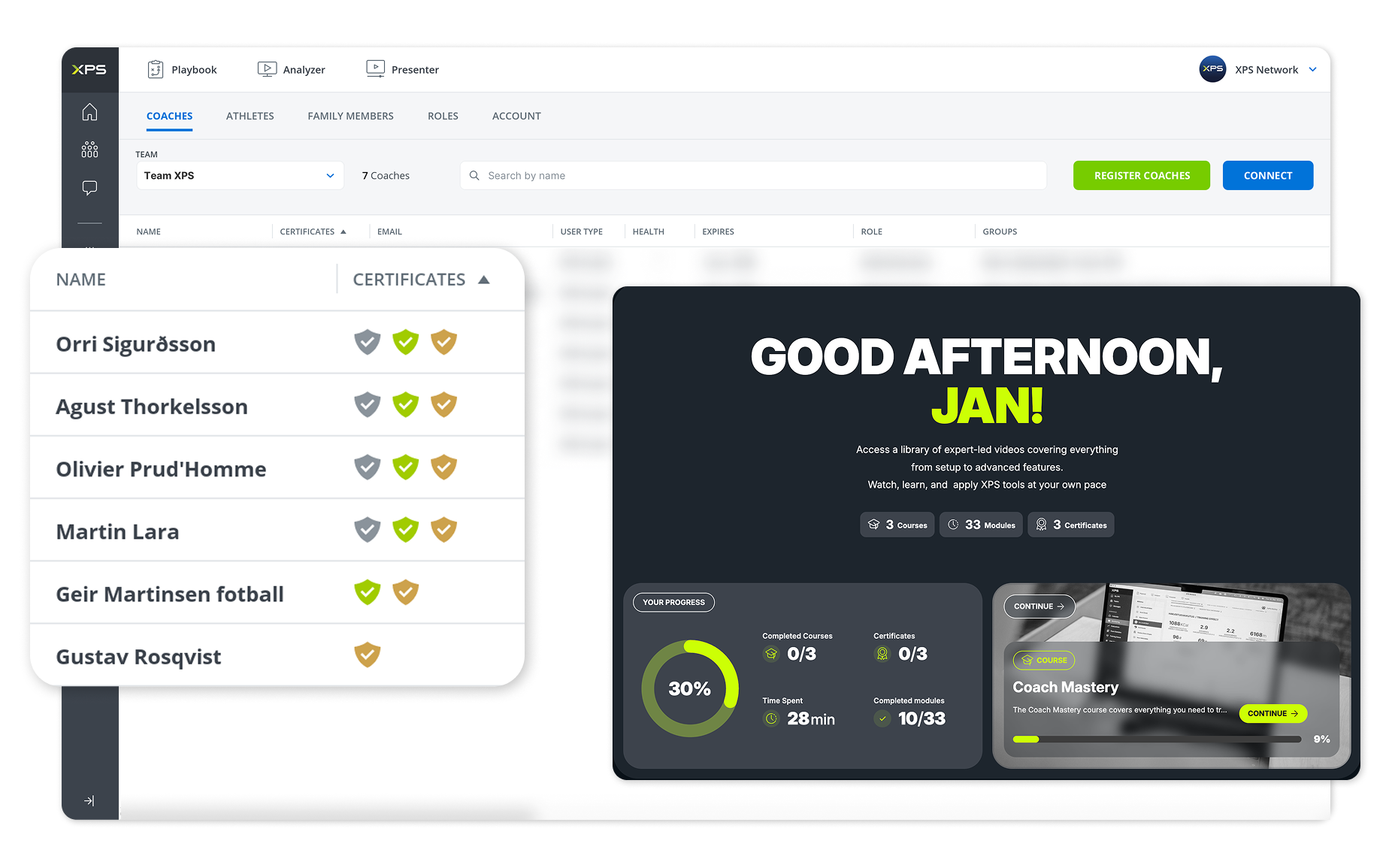
This provides administrators with greater visibility into platform knowledge and certification progress, helping ensure staff are equipped to get the most out of XPS.
If you’d like to enable certification badges in your User Management, please contact your Country Manager.
Our ongoing work with partners such as VALD and Stats Perform is making it easier for organizations to connect more performance, tracking, and wearable data directly into XPS.
More information on these integrations, along with future API capabilities, will be shared soon. In the meantime, be sure to check out our latest article, 5 Reasons CMJ Testing is the Most Powerful Tool in Athlete Monitoring, and learn how the VALD integration can support your athlete monitoring workflow within XPS.
We’re actively working on a number of AI-powered capabilities designed to help users save time and unlock even greater value from their data.
Stay tuned, there’s much more to come.
Looking to deepen your knowledge of the platform? XPS Academy offers a growing library of courses, certifications, and practical learning resources designed to help coaches, practitioners, analysts, and administrators get the most out of XPS. If you have any questions about the platform, integrations, or best practices, our support team is always happy to help at support@sidelinesports.com.
As always, we remain committed to making XPS the leading athlete monitoring and performance management platform for coaches, performance staff, and organizations around the world. The June 2026 release brings new tools for athlete development, smarter calendar workflows, enhanced reporting capabilities, and continued integration expansion. We look forward to sharing even more improvements, integrations, and AI-powered features in the months ahead.
What is the Khamis-Roche Height Prediction?
The Khamis-Roche Height Prediction is a calculated test that estimates an athlete’s adult height based on their current height, weight, age, and parental height data. It can be particularly useful in youth development environments when monitoring long-term athlete growth and maturation.
How do Session & Report Tags improve workflow?
Tags provide a flexible way to organize sessions and reports across your organization. They can be used to categorize activities, improve filtering, compare different session types, and create more meaningful reports and insights.
What are Z-scores and how can they help with athlete monitoring?
Z-scores standardize data relative to an athlete’s or team’s typical range. This makes it easier to identify trends, detect unusual values, and compare metrics across athletes, helping practitioners make more informed decisions.
What are Match Reports?
Match Reports help coaches and analysts capture key match statistics, import performance data, and gain deeper insights into team and player performance. They are currently available for basketball, ice hockey, and volleyball, with additional sports planned in future updates.
How can I display XPS Academy certification badges in User Management?
Certification badges can be enabled within User Management, allowing administrators to see which users have completed XPS Academy courses and certifications. To enable certification badges for your organization, please contact your Country Manager.

A new connection brings KINEXON Sports player-tracking data into customizable XPS Reports, allowing coaches, performance staff and sports directors...
Read More
This past weekend, our global sales team came together in Belgrade, Serbia for several inspiring days of conversation, collaboration...
Read More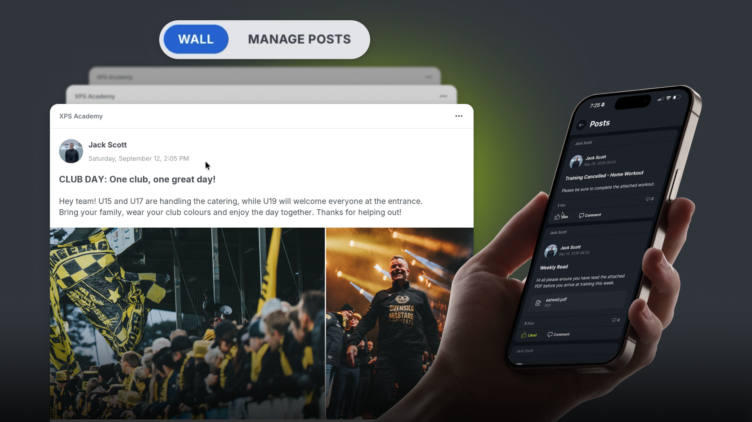
We are excited to release Posts, a highly requested feature which is essentially a shared feed inside your XPS...
Read MoreThank you!
Our representative will get back to you soon with time suggestions for an online meeting.
If you have any questions contact us at support@sidelinesports.com
Schedule a short online meeting with our representative
Try free XPS 14-days trial right now No credit card required


