


Ideas, Insights and the Future: Belgrade 2026
This past weekend, our global sales team came together in Belgrade, Serbia for several inspiring days of conversation, collaboration...
Read More
Great coaching happens when feedback is clear, engaging, and easy to understand. While written comments are invaluable, sometimes a video clip, image, or visual example tells the story far better than words alone.
That’s why we’ve introduced the new Media Widget, making it easier to combine written feedback with rich media inside your XPS Reports.
Whether you’re creating Individual Development Plans (IDPs), delivering Matchday Analysis, or sharing Individual Player Feedback, these updates help you create reports that are more personal, visual, and impactful.
The Media Widget gives you two ways to work with media, depending on how you want to use it.
Choose Show Existing Document to display the same image or video for every athlete in the report. Ideal for team-wide feedback, tactical reviews, or shared educational content.
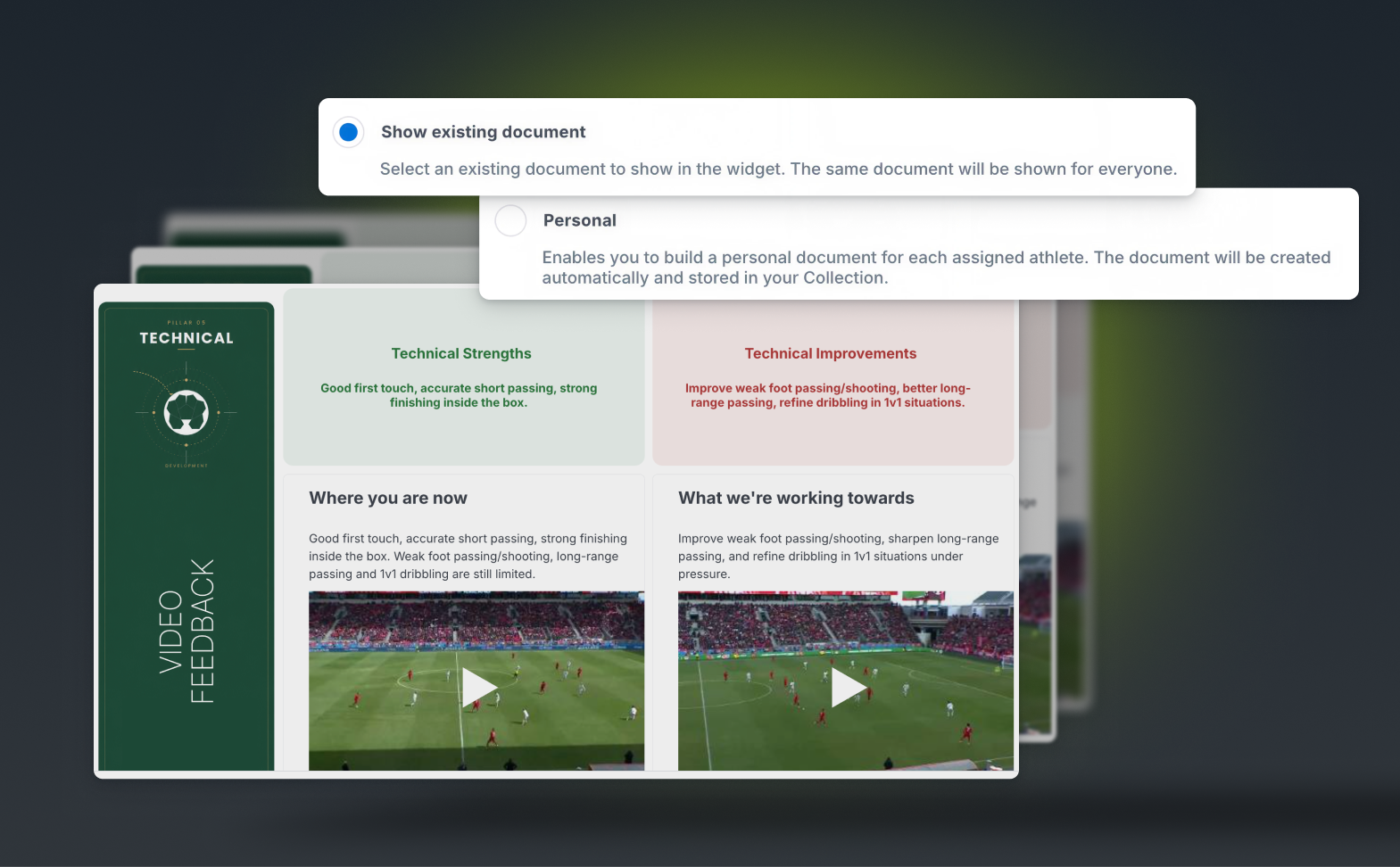
When selecting Personal as the document type, XPS automatically creates the entire document structure for you.
A folder is generated inside XPS Documents using the report name, with individual athlete folders created underneath, one for every athlete included in the report.
From there, each athlete receives their own personal version of the media content, ready to be customized.
You can edit this content directly inside the report or from the generated document itself.
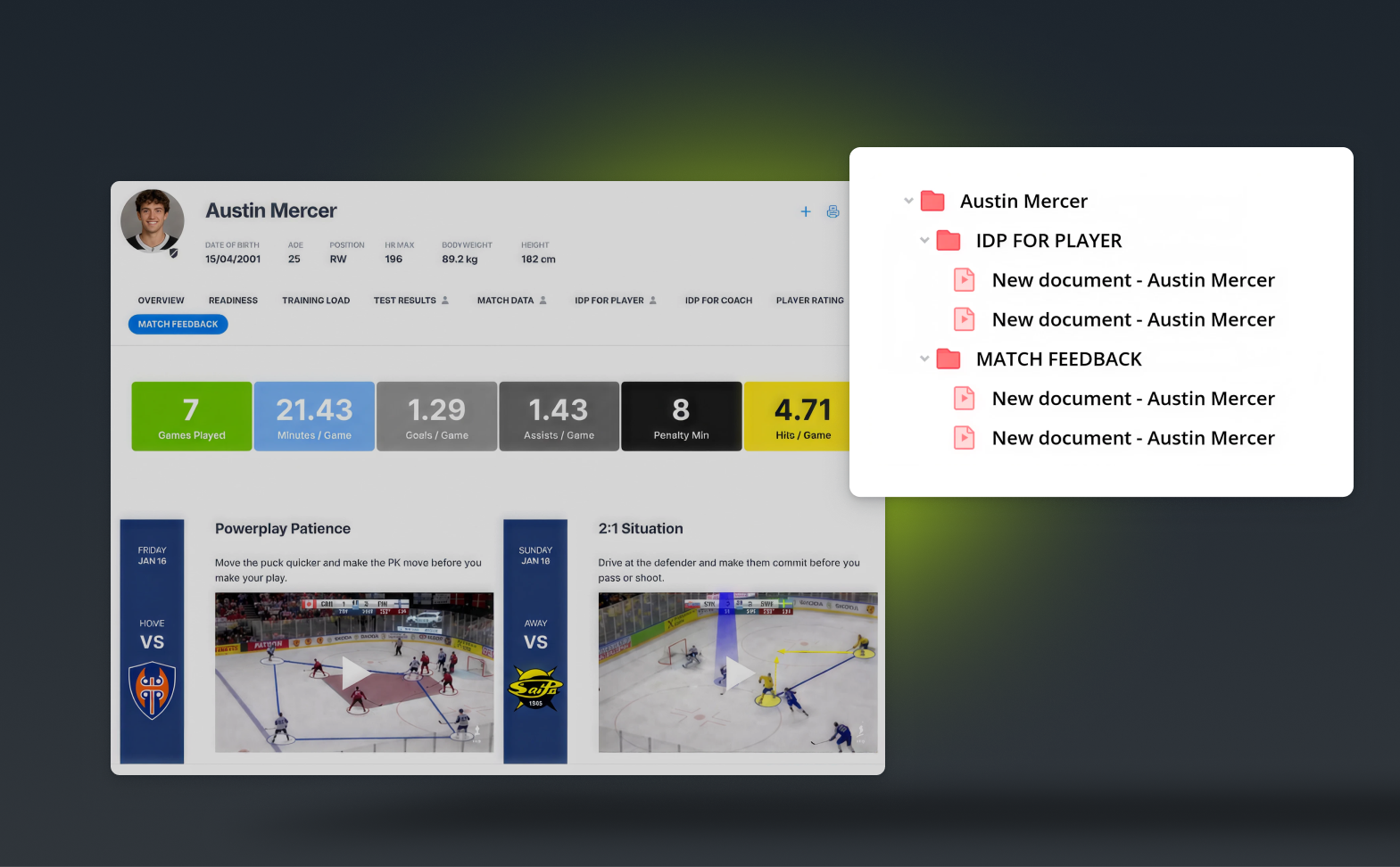
This makes creating personalized feedback for an entire squad dramatically faster while still allowing every athlete to receive individual video clips, images, and comments.
The Media Widget is especially valuable when building Individual Development Plans.
Instead of describing strengths, weaknesses, and objectives with text alone, coaches can now include:
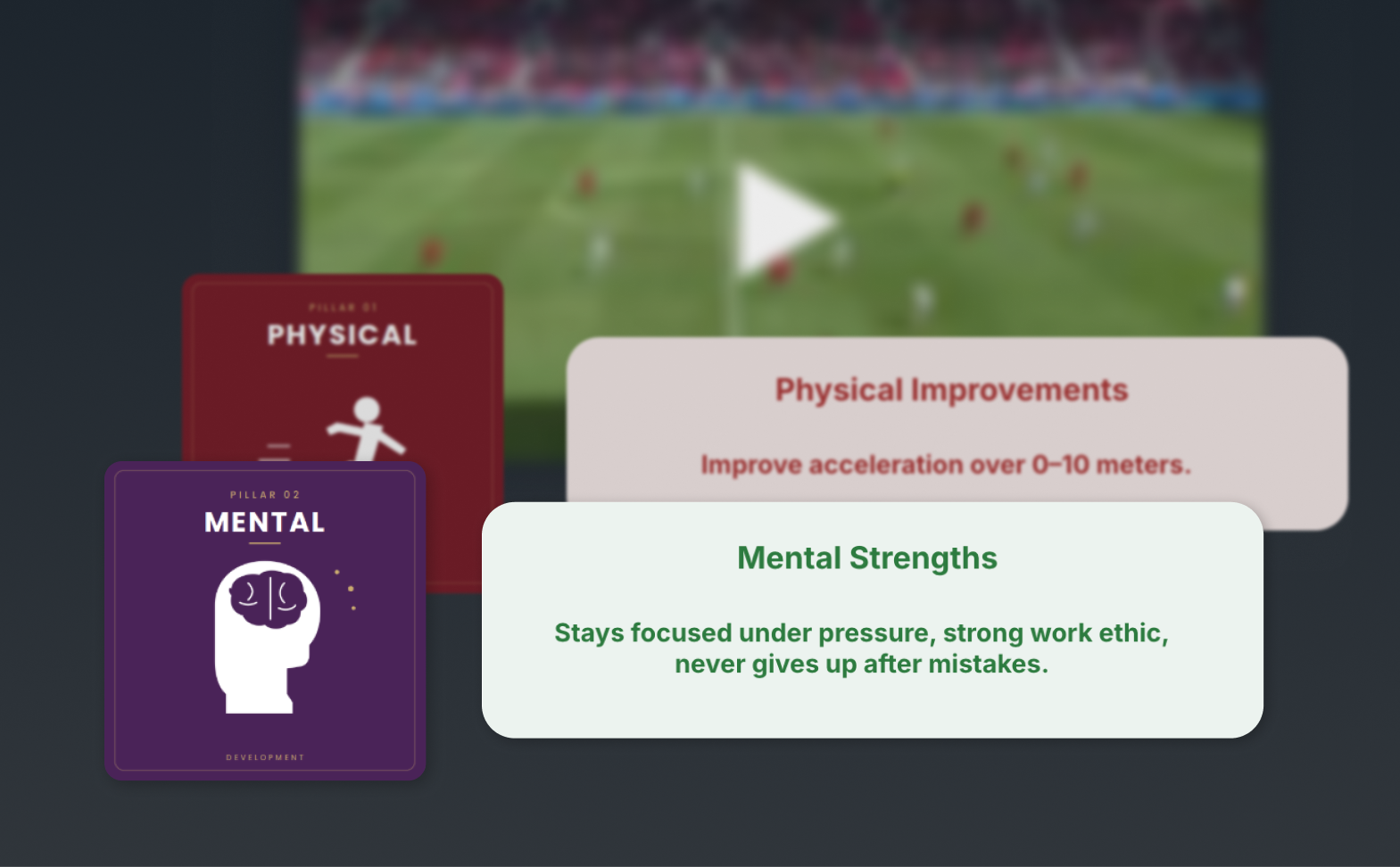
Give athletes something they can come back to before training, after games, or whenever they want to keep improving.
The same workflow applies to post-match analysis.
Create reports that combine:
Show players exactly what you’re talking about instead of trying to explain it with words alone.
We’ve also made a couple of improvements to existing widgets.
The Image Widget now lets you choose how your images are displayed with three sizing options: Contain, Fit and Fill.
The Text Widget now supports vertical alignment, giving you more flexibility when designing cleaner, more polished report layouts.
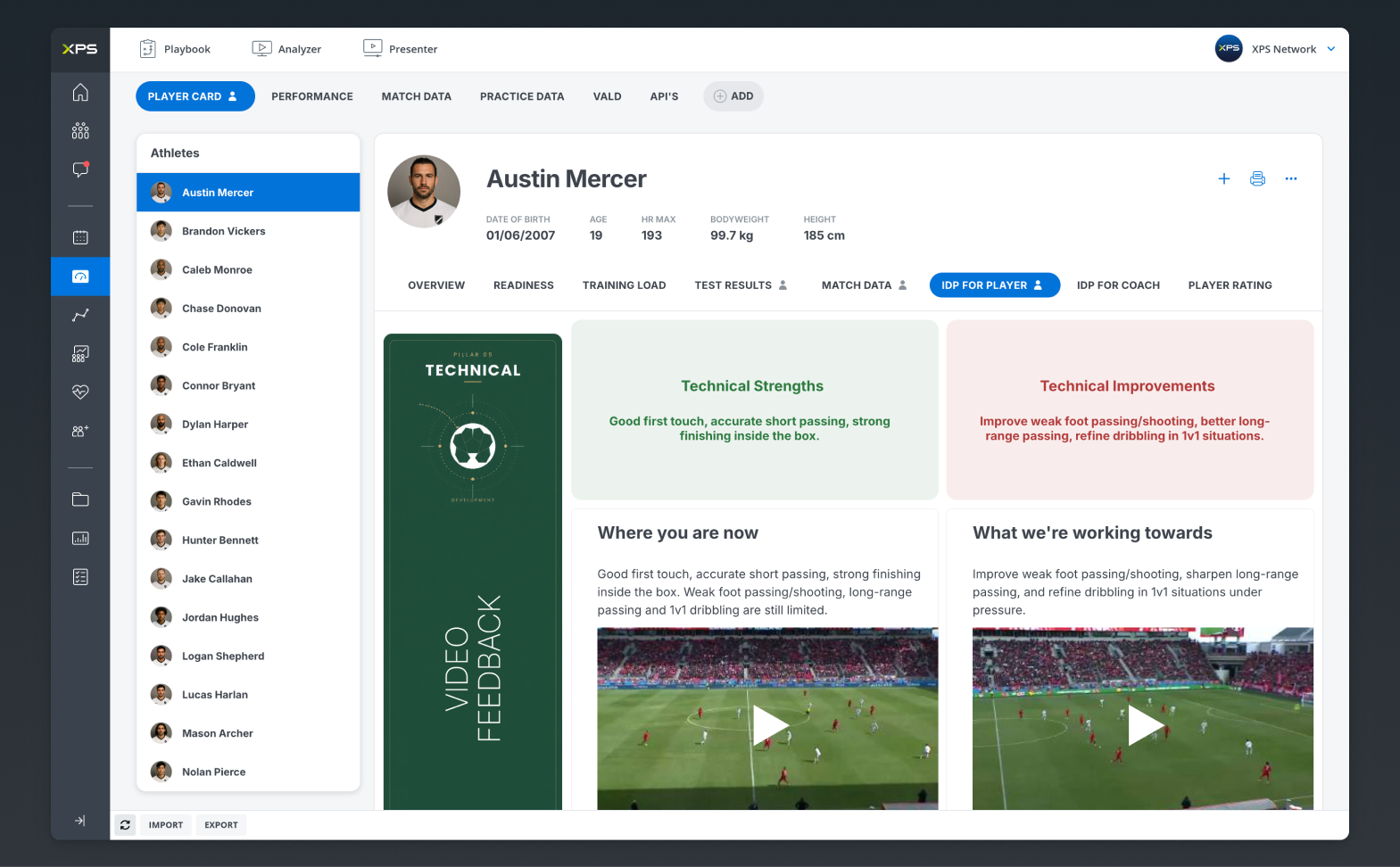
Together, these updates make it even easier to build reports that look great, communicate more effectively, and provide athletes with a richer feedback experience.
Watch the XPS Webinar below and learn how to turn information into action in your XPS Reports. For more content like this, visit XPS Academy.

This past weekend, our global sales team came together in Belgrade, Serbia for several inspiring days of conversation, collaboration...
Read More
In soccer, recovery is often viewed simply as the time between training sessions or matches. In reality, recovery is...
Read More
In one season, Jämtland Basket went from seventh place to the top of the Swedish Basketball League. With Gabo...
Read MoreThank you!
Our representative will get back to you soon with time suggestions for an online meeting.
If you have any questions contact us at support@sidelinesports.com
Schedule a short online meeting with our representative
Try free XPS 14-days trial right now No credit card required


