


XPS Network and KINEXON Sports announce new API integration
A new connection brings KINEXON Sports player-tracking data into customizable XPS Reports, allowing coaches, performance staff and sports directors...
Read More
December 4, 2025
2 min reading
Managing a growing exercise library can be a grind. Adding new drills one by one? Slow. Re-tagging the same attributes over and over? Slower. And reorganizing entire collections manually? Forget it.
That’s exactly why XPS Network just rolled out a new power feature: Import From Spreadsheet – and there’s a new tutorial walking coaches through it step-by-step that you can watch right below.
This update lets you pull large batches of exercises straight from a spreadsheet into your Exercise Collection. That means names, images, videos, paragraph headers, instructions, attributes, and tags all come in at once – without the usual tedious clicking. In the tutorial, you’ll see exactly how to structure your sheet, map your columns, and import cleanly into the category folders you choose.
Here’s where it stops being a “nice update” and becomes a real workflow upgrade:
No more manual entry. Add all your exercises, videos, images, descriptions, and attributes in one import. The system even lets you bring in unlimited custom columns.
You can specify category folders and subfolders directly in the spreadsheet. The moment you import, everything lands exactly where you want it.
The importer supports:
All of them get placed in the correct order based on your column layout.
Tracking performance metrics? Great. You can assign attributes during import. Don’t have the tag created yet? XPS builds it automatically.
If you pick the wrong attribute template or need to adjust exercise parameters, you can update them folder-wide using the advanced tools – password-protected to safeguard previous data.
Whether you’re importing strength work, sport-specific drills, rehab exercises, or entire training modules, the system adapts to however you organize your content. No rigid structure. No limits on columns. Just speed and flexibility.

A new connection brings KINEXON Sports player-tracking data into customizable XPS Reports, allowing coaches, performance staff and sports directors...
Read More
This past weekend, our global sales team came together in Belgrade, Serbia for several inspiring days of conversation, collaboration...
Read More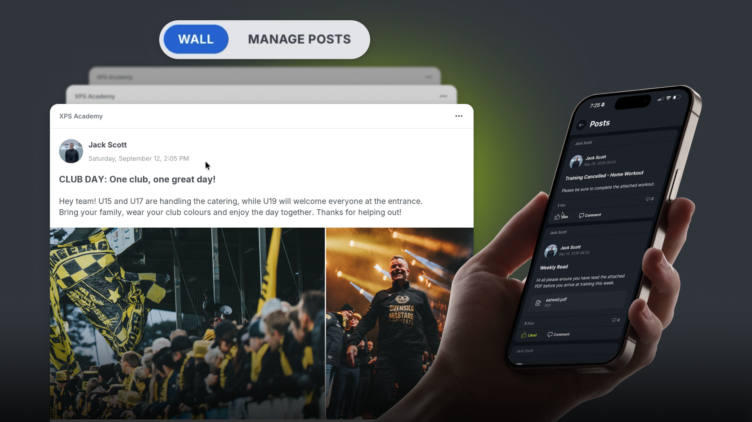
We are excited to release Posts, a highly requested feature which is essentially a shared feed inside your XPS...
Read MoreThank you!
Our representative will get back to you soon with time suggestions for an online meeting.
If you have any questions contact us at support@sidelinesports.com
Schedule a short online meeting with our representative
Try free XPS 14-days trial right now No credit card required


